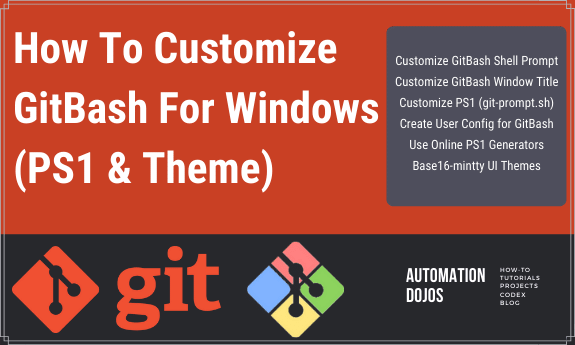


How To Customize GitBash For Windows

Customize GitBash window title, PS1 prompt and install Mintty theme

By default the GitBash prompt settings / configuration come from shell script called ‘git-prompt.sh’. This is usually hosted inside ‘profile.d’ directory inside the GitBash installation directory. The below described method only focusses on customizing the ‘GitBash’ prompt and NOT about customizing default ‘Bash’ prompt on Linux terminals.

Tushar Sharma
Tushar Sharmahttps://www.automationdojos.com
Hi! This is Tushar, the author of 'Automation Dojos'. A passionate IT professional with a big appetite for learning, I enjoy technical content creation and curation. Hope you are having a good time! Don't forget to subscribe and stay in touch. Wishing you happy learning!

LEAVE A REPLY

Please enter your comment!
Please enter your name here

This site uses Akismet to reduce spam. Learn how your comment data is processed.

Recent Posts

RELATED POSTS

Setting Max/Min Digits For Decimal Numbers With Java DecimalFormat

The DecimalFormat class offers the following four such methods which can be used to easily set the maximum and/or minimum digits for decimal numbers....

Common OpenSSH Commands Reference

Secure Shell, sometimes referred to as Secure Socket Shell (SSH), is a protocol which allows you to connect securely to a remote computer or...

Format Decimal Numbers Using Format Symbols

You can customize which symbols are used as decimal separator, grouping separator, currency seperator etc. using a DecimalFormatSymbols instance together with java.text.DecimalFormat class. The...

Format Decimal Numbers using Strings Within Pattern

As mentioned in earlier posts, the java.text.DecimalFormat class is used to format decimal numbers via predefined patterns specified as String. Apart from the decimal separator,...

Format Decimal Numbers Using Locale

If you want to create a DecimalFormat instance for a specific Locale, create a NumberFormat and cast it to a DecimalFormat. The java.text.DecimalFormat class is...
- Advertisement -spot_img

RECENT 'HOW-TO'

How To Install Oh-My-Posh On Windows PowerShell

Oh-My-Posh is a powerful custom prompt engine for any shell that has the ability to adjust the prompt string with a function or variable. It does not...

Â

MORE ON CODEX

RECENT PROJECTS

Windows JDK Manager (win-jdk-Manager)

ADjo LABS PROJECT : Simple and lightweight desktop utility with Interactive cmd Interface for easy view, re-point and switching between JAVA versions on windows. Demonstrating the capability...

MORE IN THIS CATEGORY

Convert String to java.time.LocalDate with Formatter

The LocalDate class has an overloaded parse() method. In addition to the String Date, it accepts a DateTimeFormatter instance that specifies the format of...

Remove Duplicates from List Using For-Loop

The simplest way to remove duplicates from a 'List' is to use a for-loop. The following code snippet demonstrates this method. First, the code creates...

How To Setup Automatic SSH-Agent for GitBash

Using below procedure, you shall be able to setup SSH-Agent to run automatically whenever GitBash is launched on Windows. The ssh-agent process will continue...

How To Read Windows Environment Variables With VBScript

Reading an environment variable is simple. There are a couple of methods available to do this but the main preferred ones are the below...

Convert List to Array Using Stream with Param

There is an overloaded version of the Stream.toArray method which can be used to return a result array that is of the same data...

CHECKOUT TUTORIALS

Working with JMeter Listeners

About Listeners Listeners are used for displaying test results in JMeter. Listeners allow system engineers to analyze the responses from the testing system and monetize...
- Advertisement -spot_img